Product explosion
Pull a product apart in a cinematic exploded view.
@higgsfield/productexplosionWhat to upload
A sharp image of one fully visible iPhone Duo against a simple background.
Product & people
You saw what one command can do.
Here are all 18 Higgsfield commands and the right images or videos to use with each one.
Free guide · Ready to copy · Made by @arshman


Use the image or video recommended on each card. Clear subjects and uncluttered framing work best.
With your image or video attached and Higgsfield selected, paste the command and send it.
02 / Your creative toolkit
Pick the look you want. Every card includes the command and exactly what to upload.
Pull a product apart in a cinematic exploded view.
@higgsfield/productexplosionWhat to upload
A sharp image of one fully visible iPhone Duo against a simple background.
Fly through a scene with an immersive drone-style move.
@higgsfield/fpvdroneWhat to upload
A mountain valley, coastal cliffs, or a winding road through a forest.
Turn a product photo into a polished commercial shot.
@higgsfield/tvcommercialWhat to upload
A perfume bottle, sneaker, or beverage can. Keep the product clear and prominent.
Connect a location to a dramatic view of the planet.
@higgsfield/earthzoomWhat to upload
An outdoor location, building, or landmark.
Stretch a split-second action into a cinematic moment.
@higgsfield/slowmotionWhat to upload
A water splash, a balloon bursting, or a gun firing with visible muzzle flash and smoke.
Put the viewer inside the action.
@higgsfield/povWhat to upload
A scene with a clear action and setting. Specify whose perspective to use: a cyclist, chef, or dog, for example.
Show your subject from every angle.
@higgsfield/360What to upload
A sneaker, perfume bottle, or sports car with clear space around it for an orbiting camera shot.
Keep the subject steady while the background stretches.
@higgsfield/dollyzoomWhat to upload
A person standing in a long hallway or on a city street, with the background stretching far behind them.
Circle and rise around a subject in one sweeping move.
@higgsfield/spiralshotWhat to upload
A lighthouse on a coastal cliff or a person standing on a rooftop, with open space around the subject.
Give a fashion moment the red-carpet treatment.
@higgsfield/glambotWhat to upload
A person in a glamorous outfit, captured mid-hair flip or dress twirl, with flowing fabric or hair.
Create a natural, creator-style product moment.
@higgsfield/ugcWhat to upload
A person holding a skincare bottle or beverage can at home, with their face and the product clearly visible.
Follow a subject through the scene.
@higgsfield/thirdpersonviewWhat to upload
A video of a person walking down a forest trail, with their full body and the surrounding path clearly visible.
Glide through a space with a steady camera.
@higgsfield/gimbalshotWhat to upload
A wide scene with depth and room to move, such as a hallway, forest path, or spacious interior.
Reveal the scale of a landscape from above.
@higgsfield/flyoverWhat to upload
A wide outdoor scene, such as a landscape, city skyline, building, or coastline.
Start on a subject, then reveal the bigger picture.
@higgsfield/zoomoutWhat to upload
A clear subject within a recognizable setting, such as a person in a garden or a car on a road.
Move around a subject to add depth and perspective.
@higgsfield/orbitshotWhat to upload
A single, fully visible subject with clear surroundings, such as a car, statue, person, or product.
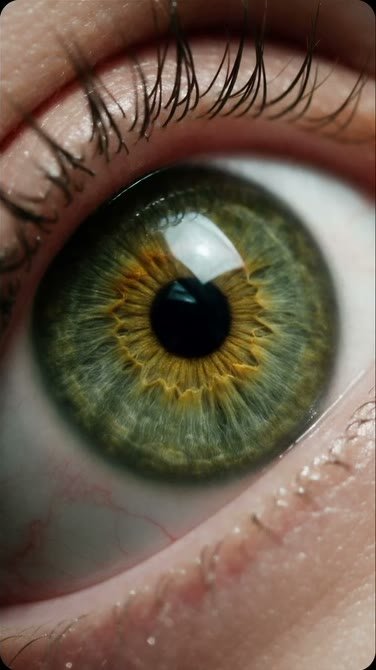
Travel into the tiny details you normally miss.
@higgsfield/macrozoomWhat to upload
A sharp, high-resolution image with fine details or textures, such as an eye, flower, fabric, or jewelry.
Open on a tiny detail. Pull back to reveal the subject.
@higgsfield/macrorevealWhat to upload
A clear image of the full subject with a distinctive detail to start on, such as a watch face or flower petal.
No commands match your search.
03 / Keep it close
Save all 18 commands and recommended inputs in one handy cheat sheet. Come back whenever you create.
A few quick answers
Yes. Add the Higgsfield plugin to ChatGPT and sign in with your Higgsfield account first. These commands are intended for the Higgsfield creative workflow. Follow the official setup guide.
Absolutely. The recommended inputs are starting points. Use your own subject, keep it clearly visible, and choose a scene that gives the camera room to move. For POV, say whose perspective you want. For third-person view, start with video.